New: Revised invoice and estimate pages
To watch this screencast please visit our blog.
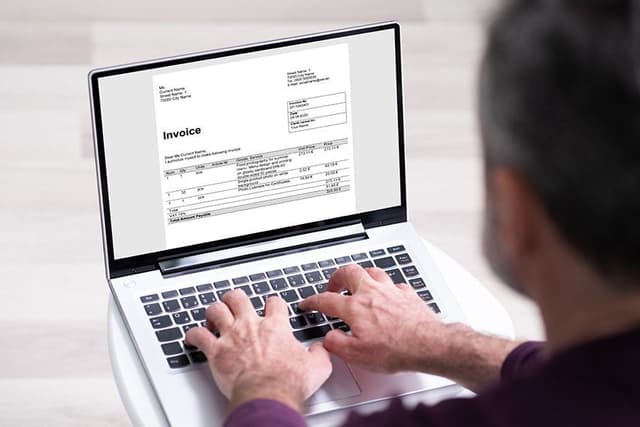
This morning we’ve released a brand new user interface for our invoice and estimate pages. Instead of doing our regular dog and pony show with screenshots, we’ve actually prepared a screencast that highlights the fancy new features we’ve added. Please take a look; it’s only a minute long.
If you’re allergic to Flash videos, you can always settle for this quick summary:
- New clean look
- Auto-expanding description boxes
- Drag-and-drop re-order lines
- More keyboard friendly
But don’t take my word for it; log in to your account and try for yourself. And as always, your feedback is appreciated – please leave us a note and let us know what you think. Thanks.


12:46 pm
sexy! i like it.
12:50 pm
Looks Great, Runs Great thanks FB !!!! P.S. Ben Please invest some of the freshbooks money and buy a better mic. Maybe a nice Blue USB mic or something.
12:51 pm
it is sexy!
12:52 pm
Looks awesome. Nice work guys! Now we’re waiting for the multiple currencies in one account and the possibility of customizing all aspects of the invoice-layout.
1:03 pm
I like it, but personally, I would have much preferred to have seen the ability to customize the invoice layout. I have applications I’d like to use freshbooks to invoice with that I can’t since I can’t add columns or change the column names.
1:08 pm
Looks great. Sexy job yall!
1:33 pm
OMG! – its great i love the new features – can you make the projects section easier next that would be great
1:34 pm
Great jobs, this looks and works much better now… glad you guys are constantly improving so much!
1:40 pm
Looks really good – but can you remove lines from invoices? This is a real bug bear. I have to recreate invoices because I don’t want to send them out with the unit cost and quality displayed.
1:42 pm
Hi Peter,
I didn’t go over this in the screencast, but you can still remove lines from invoices. If you hover over the line, a small trashbin icon will appear on the left. Click the icon, and your line disappears.
- Ben
1:45 pm
Nice improvement, but without multi-currency support, some of us will have to continue to keep sitting at the fence. We bill in 5 currencies (yeah, it’s messy here: 3 team members from 3 different countries and clients all over the place!), and creating and managing 5 different FB accounts is simply not a pleasant option for us.
2:08 pm
bula and well done!
updates look awesome.
3:04 pm
FreshBooks rocks my world! Thank you!!!
3:28 pm
Nice look! However, I’m still waiting for a longer PO Number box – or expandable if needed (there’s room for it on the actual invoice) – because I bill by the Ancestor Family name, which is usually longer than numbers. Thanks for your consideration and for the wonderful system.
3:45 pm
great design, well done guys, though i would like to support the lobbying for multi-currency support
4:17 pm
Look Very nice but please work on ways that when we make a multiple estimate of the same product but different quantity for the client to chose just, the total estimate should not be there because the client just need one, not the whole put together.
7:55 pm
We are an outsourcing company here in Thailand and invoicing in 6 Currencies all around the world. We try to promote Freshbooks here also with our customers and other companies here in beautiful softwarepark Phuket, but biggest complaint of all of them is that they even can’t use 3 currencies as all we asked need to bill at least in USD, EURO and of course THB. We asked our clients from China they have exactly the same problem and some of them use meanwhile a custom made own solution. You really need multicurrency features this is very very essential I guess for all NON americans.
Overall the whole freshbook is the best application we have ever seen and we are using it a lot, but as others already said we need also to manage many multiple accounts and therefore not really can use all those nice statistics features.
9:40 pm
Can you be serious about that narration? Really. Your credibility goes down the drain. Is is that tought to get someone who knows how to narrate — i.e. enunciate and not sound like a 14 year old reading a passage from his essay for the class? This is so appalingly jaw droppingly bad.
10:42 pm
Dee needs to get laid! Great Job!
11:16 pm
yes very sexy indeed!!
Is there a way to save text that I add every month in the description box so I am not typing it all out every month? everything is the same except I change the date info each month to reflect the new camp periods?
thks
S
12:16 am
Hi Great Interface.
I would much rather you spend time correcting the issues of the system though, instead of trying to fancy it up.
– The ability to print Packing Slips (no prices displayed on them)
– The ability to export and import to Quickbooks or Simply Accounting.
Thank you,
Jeff
1:19 am
This is all badass! Thanks for the upgrade!
When is support for different currency for each client coming…? then we wouldn’t have to pay for multiple accounts!
3:51 am
I see that multiple currencies is the big demand. I have to say that what makes Freshbooks so successful is its intuitiveness and pleasant design. I tell every client of mine about it…and am happy to do so.
6:12 am
Great features but we still need the ability to add an extra customise field for the invoice, I need “Job number” for example.
Multiple currency is more important too, we don’t mind paying a bit more for this feature but having 2 accounts is ridiculous.
11:03 am
FINALLY! Great work, I’ve been wanting these sort of improvements since day one.
12:52 pm
Looks great!
Now if it could show the actual email address it’s going to be sent to under the ‘Send By’ heading.
We’ve had to change the email addresses our invoices go to several times, and I’m not sure (until after it’s sent) whether it’s going to the right person or not.
I’m just happy we can change the address and apply it to their profile, rather than having to recreate the invoice.
2:11 pm
Looks good but functionally it takes me twice as long to create an invoice. The drop down lists of items and customers do not show enough in the list without scrolling and this takes too long to populate. For me, this is a step backward just to have a pretty interface. BTW the ability to reprint several invoices into one pdf is awesome! Not sure if this is new but this IS a big time saver for me.
9:49 pm
Nice update.
A small point, but you could really use a pop shield on the mic.
Cheers
11:22 pm
I guess we’re not getting acount balances on invoices anytime soon, huh?
1:02 am
I have to admit I was quite happy with the old way but I appreciate the way you’re constantly trying to improve. Just one thing – the drop down menus – it used to be possible to just click/hold and run the cursor down the list. now one has to click to open and click/hold and move the bar. This seems like a minor gripe but it’s actually really annoying and quite a backward step, in my opinion.
2:50 am
well done!
3:49 am
Looks great I love it…. Any idea when you will work on the support section
8:50 am
Thanks for the kind words and feedback everyone.
Bill: We’ll see what we can do about the size of the drop downs. A couple of people have expressed some difficulty with these, and we’ve already begun working on improvements.
Dave: Good point about the e-mails. Seems kind of strange they’re not here. I’ll pass on your comments to our design guys.
Marishka: I’m kind of embarassed to say it, but I didn’t even know you could do that by holding down the mouse button. We’ll look into making it happen again.
Brandon: Actually these new invoice changes were also applied to the Support area, when adding items. Did you have any specific changes in mind?
- Ben
11:58 am
Love the new features/design. Tabbing rules.
3:06 pm
I think I’m seeing one bug: When you Set Default Terms and then hit Save, the terms appear inside your current Invoice (or Estimate) but if you move away without saving that Invoice it doesn’t actually save the default terms. While that would make sense for the current invoice, it doesn’t make sense that the default has not been saved, given you press the Save button to exit the Set Default Terms entry box. As I said this also occurs in Estimates.
Otherwise, I’m a big fan of how simple, clean and usable you’ve made your entire system.
I’ll be one more voice to say “Keep delivering on the promise of utter simplicity.” My congratulations on one of the best web 2.0 products in any category.
5:34 pm
Love the drag and drop rows… Love the reformatting of the columns. Great app… keep up the good work.
9:28 am
[...] tweeted a few days back to announce a new screencast at FreshBooks (the on-line invoicing and time-tracking tool) which gives an update about their new [...]
9:32 am
Hello Ben. I’m a professional screencaster, I’ve blogged a few thoughts about the good and bad in your screencast (mostly good! it does the right job!).
If you’re curious, my critique is here:
http://blog.procasts.co.uk/2009/05/critique-of-freshbooks-revised-invoice-and-estimate-pages-screencast/
Regards,
Ian.
ps. fixing the audio problems probably isn’t that hard, a bit of practice and my tip about moving the mic above the nose will really help
11:01 am
[...] Adding screencasts through-out your site to introduce new features as the user comes across them, e.g. FreshBooks [...]
11:54 pm
I don’t like it. I LOVE it. keep up the good work. Next on the list should be an option for a more “professional services” style invoice…
4:48 pm
Its a great improvement on an already great product.
12:55 am
Reordering!!! finally… LOVING IT! It just gets better and better
9:56 am
I want a shirt that says “I Heart FreshBooks”!
10:02 am
nice! excellent product
2:48 pm
“more aerodynamic”? How was that tested? Blowing on your monitor?
The changes did make it faster for me to do my mid month invoicing today.
Did I miss the “new invoice” or “another invoice” button that appears after creating an invoice?
12:11 pm
Great new look !!
Wish I had the ability to give discounts as in “pay by this date and get 5% off” after this date pay $whatever
1:09 pm
Don’t like it !!
moves slow , please go back to the other version
6:29 pm
I just signed up and happily developed five invoices with ease. The look, ease of input and consistent look with both screen shot and actual print-out has made me a FreshBooks fan! Thank you very much for such a professional service for us micro-enterprise folk!
10:33 pm
You removed the ability to enter a whole name. Now I have to hit the first letter in the name and then scroll down. Put it back!
11:06 pm
Used to love it , but this is a big problem for us, losing the search feature of lookup on several letters at a time is a killer for those of us with a lot of codes, we have to scroll down codes so far it takes us more than 5 times as long to do an invoice. Very much slower to lookup a client for the same reason, we have 1600 customers so far and several hundred item codes, its losing its shine for me at the moment and it has been so wonderful until last week. Kills my eyes with the scrolling, had a headache since it started. please help.
12:42 am
seriously, you have changed my life. i LOVE freshbooks. you guys are a bunch of geniuses!!!
8:22 am
@shane @tina – these were massive changes to our most important screens. We’re making a series of refinements based on the feedback we’ve received. Stay tuned and thanks for letting us know what your experience has been like.
8:37 am
Hi everyone – we pushed a couple changes that address some of the issues raised in this thread.
Joe: There’s been a number of performance improvements made to the invoice page. Should be snappier than before.
Tina, Shane: You should be able to select clients using multiple keypresses again.
Bill: The customer and item lists are larger now.
- Ben
7:11 pm
Looks great…but as mentioned before…Packing slips with no pricing and some way of creating a due date…maybe a drop down with ‘due in 7/10/30 days from invoice date’ . And issue of multiple currencies and multiple languages…in an international commerce society it’s very very necessary and I have to say…I’m looking at my options.
7:15 pm
When billing a single client with multiple projects I would love for the invoice to show a TOTAL HRS summary for each project in addition to the detailed task list. As it stands, it’s either or.
Layout looks great!
9:10 pm
I love the changes but you still need to fix the client feature. When you have more than one client at a company it would be nice to be able to put their name at the top of the invoice instead of just the main contact.
7:39 am
Love all the great features, would great to be able to mail estimates. Some clients want me set up email for them.
9:46 am
Great job everyone! I lvoe the new features and I like th final clean version invoice with the logo, invoice number and date all on the right side, instead of the middle.
My favorite is the expanding description box . . . FINALLY!
11:47 am
I would like to see the option to discount individual line items in a invoice. As far as I know you can only discount the entire amount
8:02 pm
Great. But I will not need but a select amount of the choices. But I’d not call them “sexy.”
2:20 pm
You guys never cease to amaze me! Once again, you’ve done a great job. Freshbooks is still the most comprehensive, user friendly back office suite on the planet, and the best buy for my money. Keep up the great work. Thank you.
11:46 am
It should be great to have the same new clean and pro status banner on printed an downloaded paid invoices in place of the horrible “PAID” seal we have now.