Buy Now, Pay Later

Flexible payments, choose what works for you
Take control of your finances. This flexible payment option breaks down a single large payment into smaller, pre-scheduled installments so that you can enjoy your service now without the stress of an immediate, full-cost purchase.
How does BNPL work?
STEP 1
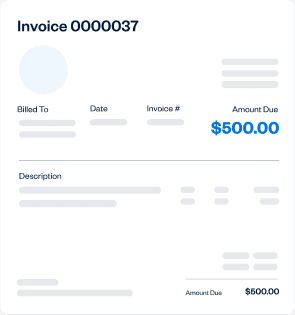
Open the invoice you’d like to pay over time.
STEP 2
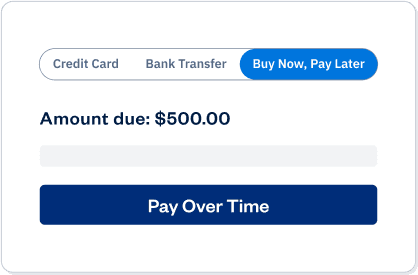
Select Buy Now, Pay Later as a payment option on the checkout page.
STEP 3
Sign up for a BNPL provider (Affirm or Afterpay), complete a quick eligibility check and select the available payment plan that fits your budget.

Buy with confidence
With Affirm, what you see is what you get. Your payment schedule is always upfront and easy to understand. You’ll never face late fees, hidden costs, or surprises.

Transparent
Affirm tells you up front the total amount you’ll pay. No hidden fees, no surprises.
Flexible
You choose the payment schedule that works for you.
Fair
Affirm won’t charge you late fees or penalties of any kind, ever.

Choose how you pay
With Afterpay, your payment schedule is clear from the start, so you can choose an option that fits your budget and stay on track. Payment options are subject to eligibility.
Interest-free payments
Pay in 4 with Afterpay is interest-free*, with no late fees when you pay on time.
Simple
Split the total into 4 payments: the first due at checkout, and the rest due generally every 2 weeks.
Stay in control
Track your schedule in the app and get reminders. Late fees may apply if payments aren’t successfully processed.
Frequently Asked Questions
(BNPL)
Frequently Asked Questions
(Affirm)
Frequently Asked Questions
(Afterpay)
Affirm disclaimers:
Payment options through Affirm are subject to an eligibility check, may not be available everywhere, and are provided by these lending partners: affirm.com/lenders. For Affirm Terms of Service, please visit https://stripe.com/legal/affirm
Canada residents: "Payment options through Affirm Canada Holdings Ltd. (“Affirm”) are subject to an eligibility check, and depend on purchase amount, payment terms, vary by merchant, and may not be available in all provinces/territories. Minimum purchase and down payment may be required.
Afterpay disclaimers
Late fees may apply. Eligibility criteria apply. See www.afterpay.com for more details. Loans to California residents made or arranged pursuant to a California Finance Lenders Law license. ©
You must be 18 or older, a resident of the U.S. and meet additional eligibility criteria to qualify. Loans through the Afterpay Pay Monthly program are underwritten and issued by the First Electronic Bank. A down payment may be required. APRs range from 0.00% to 35.99%, depending on eligibility and merchant. As an example, a 12 month $1,000 loan with 21% APR would have 11 monthly payments of $93.11 and 1 payment of $93.19 for a total payment of $1,117.40. Loans are subject to credit check and approval and are not available in all states.Valid debit card and acceptance of final terms required to apply. Estimated payment amounts shown on product pages exclude taxes and shipping charges, which are added at checkout. See here for complete terms.
2025 Afterpay US
