Limited-time offer: Get 60% off for 3 months. Buy now & save
60% Off for 3 Months Buy now & save


Bank reconciliation template
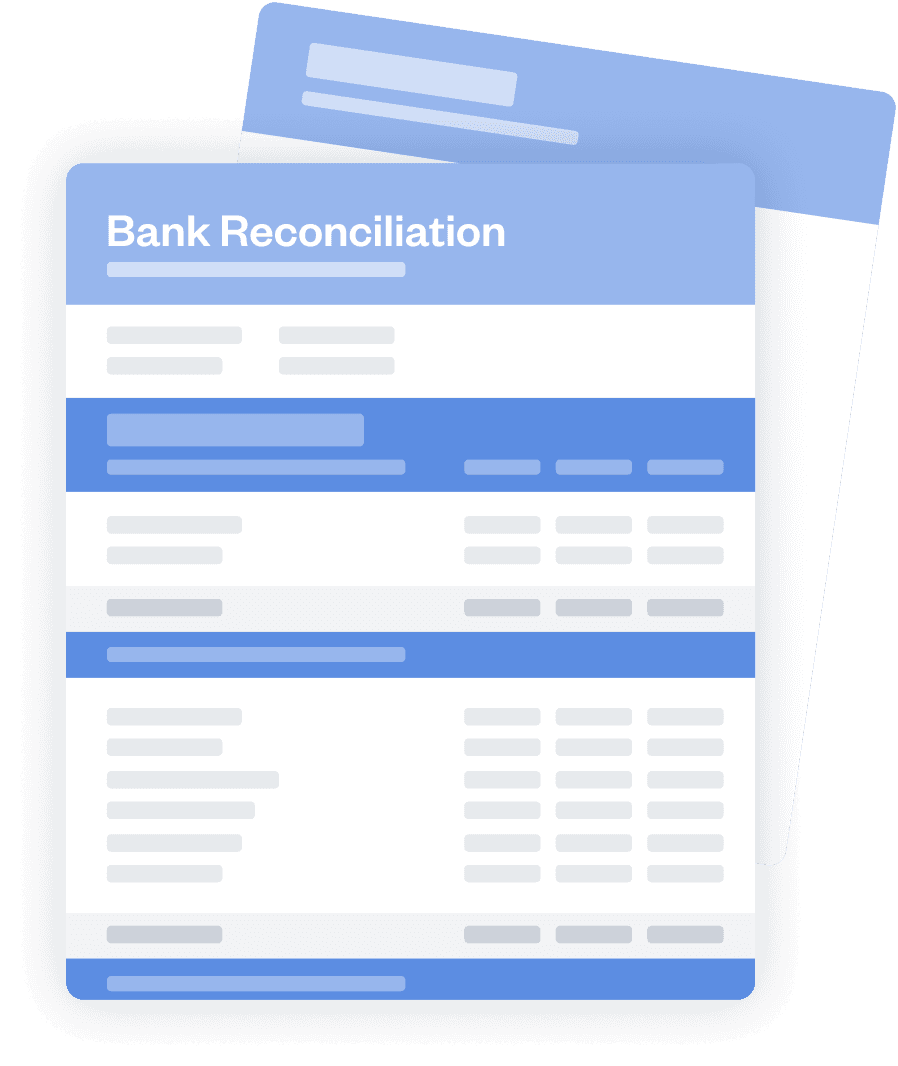
Download bank reconciliation template for free
Keep your business finances organized with the free bank reconciliation template from FreshBooks, and improve your financial system with FreshBooks accounting software! Download the template and try FreshBooks for free!
What is a bank reconciliation?
Bank reconciliation is the process of comparing your company’s internal financial records with your bank statements. This allows you to spot discrepancies between your records and your bank account, allowing you to resolve them to ensure your financial records are as accurate and useful as possible. Bank reconciliations are usually done on a monthly basis.
Bank reconciliation is a crucial part of avoiding recordkeeping mistakes and preventing financial fraud. It also helps manage risk, as bank reconciliation ensures accurate statements, helping investors make informed decisions. In general, bank reconciliation provides accountability and confidence in your financial records when compared to your bank account, ensuring all transactions are accurately reported and free of errors.
How do I create a bank reconciliation?
Making a bank reconciliation statement can be a very simple process when you use the right tools. With the FreshBooks bank reconciliation template, you can complete this essential process in just a few easy steps:
Choose a format
First, choose the P&L statement format that is most useful for you and your business’s needs.
Download the template
Next, download your free profit and loss statement template of choice in seconds from the FreshBooks website.
Enter revenue
You’ll be prompted to enter revenue information in the relevant field—keep your financial records on hand for this part.
Enter expenses
After entering revenue, you’ll input all relevant business operating expenses into the P&L report template.
Calculate net income
Simply subtract your business expenses from your business revenue to calculate your total net income.
Determine profitability
Finally, look at your bottom line. If your net income is positive, you’re profitable. If it’s negative, you’re currently unprofitable.
Download bank reconciliation template
The bank reconciliation template from FreshBooks is highly customizable, making it easy to adapt to your specific business needs.
Like our other templates, the bank reconciliation statement template is completely free to download and comes in multiple formats to ensure it’s simple to incorporate into your existing records system.




Bank reconciliation format
What goes on a bank reconciliation document? There are a few key components that the bank reconciliation template should include:
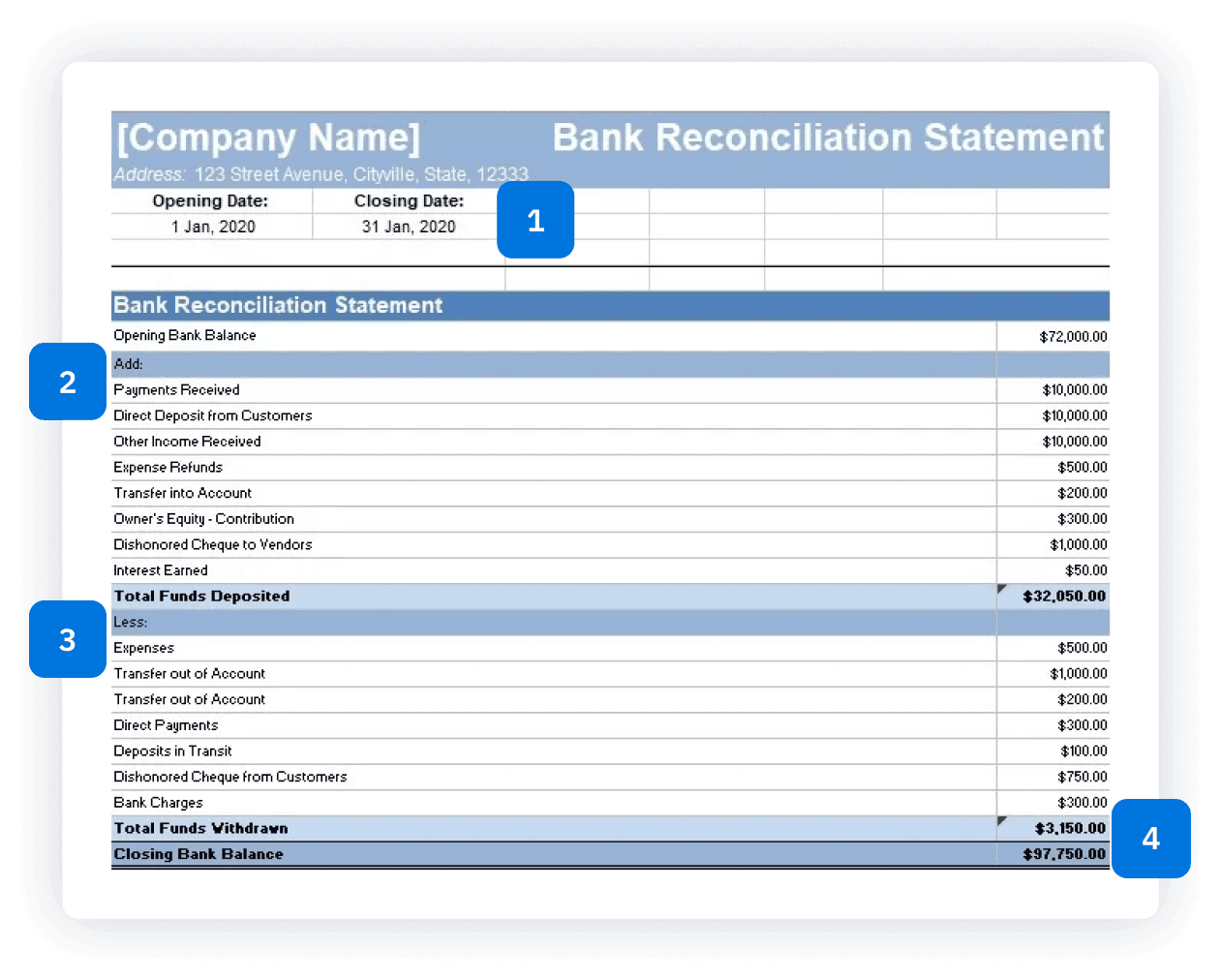
Bank reconciliation format
What goes on a bank reconciliation document? There are a few key components that the bank reconciliation template should include:
Revenue
Revenue (also called sales or income) refers to the money your business receives in exchange for goods or services you provide during a given time period.
Cost of goods sold
This section details your cost of goods sold, also called COGS. It includes expenses incurred for materials, labor, and overhead which directly contribute to the production of the goods your company sells.
Operating expenses
In this field, you enter any costs associated with running your business, such as cost of goods sold (COGS), property rental expenses, and other operating expenses.
Operating profit (loss)
Your profit/loss is your revenues minus your expenses. It will either be a positive number (indicating profitability for that period) or a negative number (indicating non-profitability).
Additional accounting templates
A bank reconciliation statement is just one part of an effective accounting system. We offer several other useful templates to help you better manage your business finances, including:
Profit and loss statement template
Use our profit and loss statement template for a summary of all the revenues and expenses over a specific amount of time, showing business profitability within that period.
Profit and loss statement template
Use our profit and loss statement template for a summary of all the revenues and expenses over a specific amount of time, showing business profitability within that period.
Bank reconciliation template vs. FreshBooks accounting software
A bank reconciliation template will help you avoid discrepancies, errors, and intentional fraud, but it’s just one piece of the accounting puzzle. FreshBooks accounting software is a comprehensive solution for small business accounting, with countless useful features, including:
| Features | Free bank reconciliation template | FreshBooks accounting software |
|---|---|---|
Import transactions | Manual data entry from bank statements. | Automatic import from connected bank accounts |
Identify discrepancies | Manual comparison | Automatic flagging of discrepancies and potential issues |
Calculate ending balance | Manual formula creation | Automatic calculation of reconciled balance |
Generate report | Manual formatting, limited customization | Automatic report generation with customizable details |
Store & access records | Local file storage, limited accessibility | Secure cloud storage, accessible from anywhere |
Recurring reconciliations | Manual setup and reminders | Automated recurring reconciliations with reminders |
Error correction | Manual adjustments | Direct adjustments within the software, audit trail |
Scalability | Complex with increasing transactions/accounts | Seamlessly handles growing transaction volume |
Sign up for a free FreshBooks trial today
Try It FreeHelpful resources for your business
Looking for more help with your small business accounting? We’ve got you covered with these other helpful resources:
Bank Reconciliation: What It Is and How to Do It
What Should You Be Doing at the End of Every Business Day?
Month End Close Process: Importance, Checklist & Best Practices


Frequently Asked Questions
