

Free invoice generator:
create professional invoices effortlessly
Creating invoices doesn’t have to be a headache. For small business owners looking for a straightforward solution, FreshBooks invoice generator tool can simplify the process.





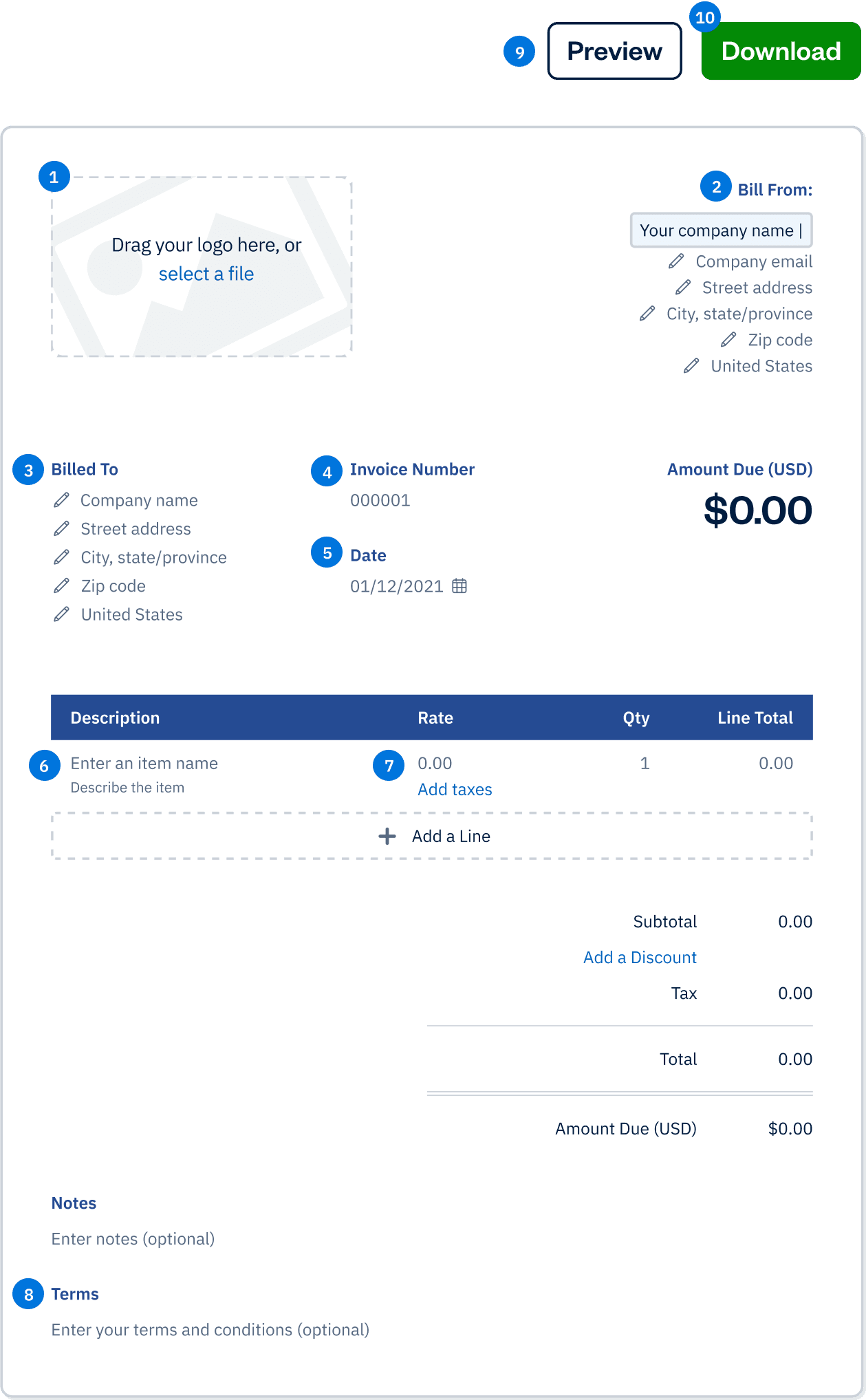
FreshBooks Invoice Generator
Drag your logo here, or select a file
Bill From:
Bill To:
Invoice Number:
Date:
Amount Due (USD)
$0.00
| Description | Rate | Qty | Line Total |
|---|---|---|---|
Enter an item name Describe this item | 0.00 | 1 | 0.00 |
| Subtotal | 0.00 |
|---|---|
| 0.00 | |
| Total | 0.00 |
| Amount Due (USD) | $0.00 |
What is an invoice and why do you need one?
An invoice is a document that outlines the goods or services provided by a business to a customer, along with the payment terms and amount due. It serves as a formal request for payment and is an essential tool for businesses to manage their finances and track their income. Having a professional invoice is crucial for any business, as it helps to establish credibility and trust with customers. A well-crafted invoice ensures that both the buyer and seller are on the same page regarding the transaction details, which in turn facilitates timely payments and smooth financial operations.
Invoice templates vs. Invoice generator: which is right for you?
FreshBooks provides small businesses with two options for creating invoices: invoice templates and an invoice generator. While both tools are free and help streamline the invoicing process, they cater to slightly different needs.
Understanding loan terms
Need invoices that offer both a professional foundation and complete customization? Downloadable and ready to use, these templates provide the framework you need to create invoices that are uniquely tailored to your business.
Complete Customization: Modify the layout, fonts, and design to perfectly match your brand.
Invoice Types: Use for both proforma invoices and commercial invoices
Flexible Framework: Easily add your company’s information, client details, and specifics of your products or services
Invoice Generator
Need to create professional invoices quickly and effortlessly? This online tool allows you to produce polished invoices in moments, streamlining your billing process and ensuring you get paid faster.
Fast Invoice Creation: Generate professional invoices quickly, saving you time and effort.
Aesthetically Pleasing Design: Create clean, polished invoices that reflect well on your business.
User-Friendly Online Tool: Produce invoices directly in your browser with an intuitive, easy-to-use interface.
How to create an invoice with the free invoice generator
The free invoice creator is a simple, user-friendly tool—and it does all the math for you.
Invoice heading
Stick with the standard template or opt for a more modern style. change the color of your invoice, and add your business logo if you wish. enjoy the ease and flexibility of creating customized invoices using our free invoice generator.
Company name and contact information
Include your company’s name, address, and phone number.
client name and details
Add the client’s name, address, and phone number.
Invoice number
Enter your own invoice number, or allow the invoice generator to choose it for you.
Invoice date
Enter the date of the invoice.
Description of services rendered
Fill out a single line item detailing each product or service sold and the quantity.
A clear invoice format that includes essential elements like business and customer information, purchase details, and payment terms is crucial for maintaining professionalism and ensuring accurate record-keeping.
Cost of services
Enter the rate or cost of the services or products provided.
Payment terms, conditions, and instructions
Include information in these optional fields, like notes you want to add to the invoice or the invoice terms and conditions.
Preview your invoice
Click the black “Preview Invoice” button near the top, and carefully review your work for accuracy. To exit preview mode, simply click outside of the invoice.
Download and save your invoice
Once you’re satisfied with your work, click “Download Invoice.”
Confirm your email address, and click “Get My Invoice.” The download link for your invoice is automatically sent to your email address. The invoice will also open as a PDF on your computer screen.
Key elements of a professional invoice
A professional invoice typically includes the following key elements:
Business information
Clearly display your company name, address, and contact details to ensure your client knows who the invoice is from.
Invoice number and date
Assign a unique invoice number and include the invoice date to keep track of each transaction.
Customer information
Include the customer’s name, address, and contact details to personalize the invoice and ensure it reaches the right person.
Description of goods or services provided
Provide a detailed description of the products or services rendered, including the quantity and unit price of each item.
Subtotal, tax, and total amount due
Break down the costs, including any applicable taxes, to show the total amount due.
Payment terms and due date
Clearly state the payment terms and the due date to set expectations for when the payment should be made.
Unique invoice number for tracking purposes
Use a unique invoice number to easily track and reference the invoice in your records.
Business information
Clearly display your company name, address, and contact details to ensure your client knows who the invoice is from.
Including these elements ensures that your invoices are clear, professional, and easy to understand, which helps in maintaining a smooth billing process. Additionally, a commercial invoice is crucial for customs purposes when goods are exported across international borders.
Customizing your invoice with a free invoice maker
Using a free invoice maker can help you create a professional-looking invoice that reflects your business’s brand and style. With a free invoice maker, you can customize your invoice by adding your company logo, choosing a template that suits your business, and selecting the font and color scheme that matches your brand. This level of customization helps to create a consistent and professional image for your business, making your invoices not only functional but also visually appealing. A well-designed invoice can leave a lasting impression on your clients, reinforcing your brand identity and professionalism.
Benefits of using an online invoice generator
Using an online invoice generator can save you time and ensure accuracy in your billing process. These tools often come with features like autofilling business information and customizing the invoice for branding. You can easily create a professional-looking invoice by following a step-by-step guide, which includes adding detailed item descriptions and payment terms. Additionally, you can download the invoice as a PDF for convenient sending to clients. Creating an invoice online is both easy and efficient with these tools.
Look like a pro
Create professional-looking invoices right out of the gate with customization options that reflect your company’s colors and incorporate your logo. Since online invoices are templated, you’ll never leave out important information—it’s tough to make mistakes with an invoice generator.
Reduce errors
Keep your invoices accurate and your books balanced with online invoicing. Invoice generators do the math for you, allowing you to reduce errors and keep your invoices looking clean and professional.
Getting paid faster with a professional invoice
A professional invoice can help you get paid faster by clearly outlining the payment terms and amount due. By including a unique invoice number, payment due date, and payment methods, you can make it easy for customers to pay you on time. Additionally, a professional invoice can help to establish trust and credibility with your customers, which can lead to faster payments and a stronger business relationship. Clear and concise invoices reduce confusion and disputes, ensuring that your clients understand exactly what they are being billed for and how to make the payment. This clarity and professionalism can significantly improve your cash flow and financial stability.
Save time
An online invoice maker does the heavy lifting for you—just enter the information already at your fingertips, and the generator creates the invoice number and performs the calculations. You can even have invoices generated and sent automatically.
Go paperless
An online invoice generator makes quick work of sending your invoices electronically—no paper necessary! Create, send, edit, and manage your invoices all in one place, and save money on paper, ink, envelopes, and postage, while reducing your impact on the environment.


Save money
Time is money, and online invoicing is a great way to streamline your accounting processes and reduce the time you spend creating and managing invoices. The accuracy and efficiency of online invoicing keeps your bookkeeping up-to-date and makes it easy to track payments.
Streamlining your invoicing operations
Streamlining your invoicing operations can help you save time and reduce errors. With a free invoice maker, you can automate many tasks, such as generating invoices, sending reminders, and tracking payments. This allows you to focus on other aspects of your business, such as providing excellent customer service and growing your business. Automation ensures that your invoicing process is efficient and accurate, reducing the likelihood of mistakes and ensuring that you get paid on time. By leveraging the capabilities of a free invoice maker, you can simplify your billing process and enhance your overall business operations.
Free invoice generator vs. FreshBooks
Running a business is more than just invoicing. Payments, recurring invoices, and managing the full scope of each project all impact the future success of your business. With FreshBooks, you can ensure clients can pay invoices as quickly and easily as possible while managing client communication and setting your bookkeeping up for tax time success. Check out the comparison chart below to see if your business needs the full force of the FreshBooks platform.
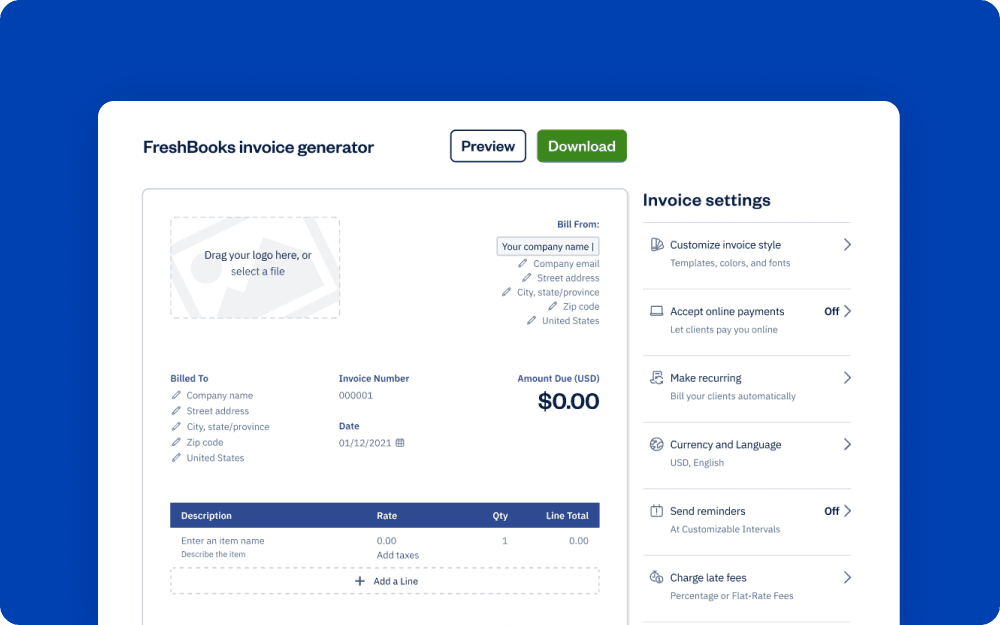
Downloadable estimate template
vs
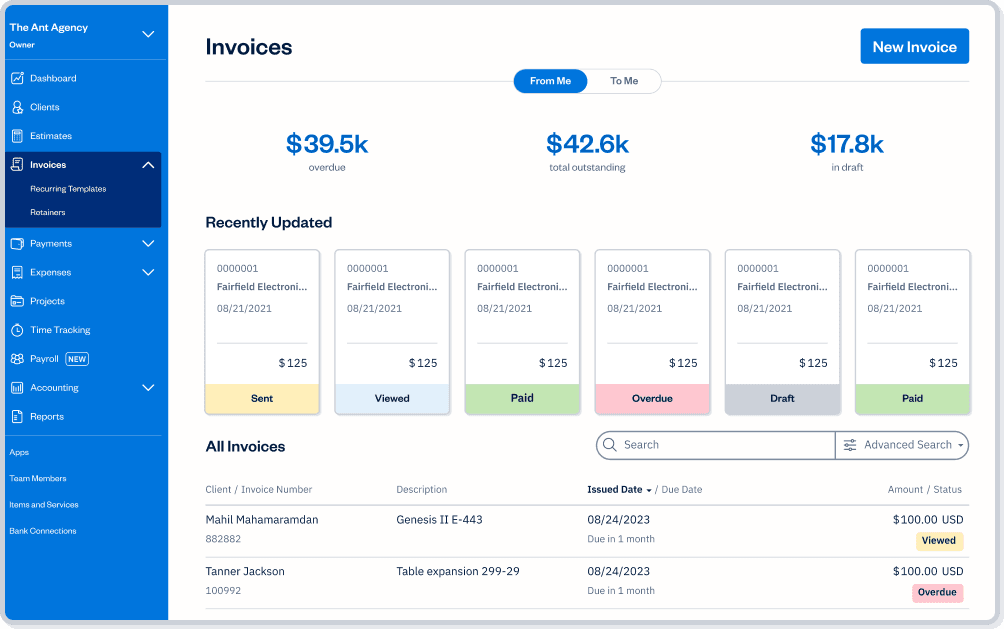
FreshBooks
| Features | Free Invoice Generator |  |
|---|---|---|
Customizable invoice templates |  | |
Printable for clients who love snail mail | | |
Email invoices to clients for free | | |
Accept safe and secure online credit card payments on invoices |  | |
Add a payment schedule, automate late payment reminders and fees | | |
Keep track at a glance of who’s paid and who has not | | |
Easily set up deposits for projects | | |
Easily add a discount to your invoice | | |
Automate your invoices for recurring work and subscription | | |
Create and send invoices from your mobile device | | |
Sign up for a free FreshBooks trial today!
Try It FreeTry It Free for 30 Days. No credit card required.
Cancel anytime.
Have questions? We have answers!
- Ability to create recurring invoices.
- Option to add a proforma invoice for international transactions.
- Timesheet invoice feature for hourly-based work.
- Ability to customize invoice details, including sales tax calculation and payment options.
Using a generator tool for invoicing is fast and simple, saving you time—especially if you opt to have your invoices automatically generated and sent. Auto-invoicing streamlines accounts receivables, increases organizational efficiency, and saves paper and postage.
An invoice should contain the seller’s business name and address, the buyer’s name and address, a detailed list of all items or services purchased, an invoice number, an invoicing date, a due date, payment processing terms, sales tax, and the total amount due upon receipt.
Yes—with an invoice generator, you can create and send mobile invoices from wherever you are and whatever device you’re on. FreshBooks allows you to generate and send a finished invoice from your mobile phone in minutes using the FreshBooks app, available on iOS 9.0 or higher or Android 4:2 or higher.
There are many benefits to using an invoice generator. It saves time by automating the invoice creation process. It improves accuracy, since it does the math for you. Invoice generators allow you to automate invoice tracking, and they make your invoices look sleek and professional.
To use an invoice generator, you’ll need several key pieces of information: Your name and contact information, the recipient’s name and contact information, the invoice number and date of issue, the products or services provided and their cost breakdowns, the payment terms, and remittance information.
Yes. Many invoice generators allow you customize the colors of your invoices, add your company logo, choose your own font, or add background images. Invoice generators make it easy to design professional, branded invoices.
Yes—many. One of the best things about some invoice generators is that you can integrate them with many different types of accounting software—including FreshBooks. This makes invoice generators a great way to streamline your invoicing and payment processes.
No. An invoice is different from an estimate or a quote. However, FreshBooks can be used to create estimates or quotes. This can be useful in situations where your client wants to see how much a project or product will cost before committing to it. Try FreshBooks for Free.
Yes. You can use most invoice generators on your mobile device. As long as the generator is responsive (which just means they adjust their layout depending on the type of device you’re using). Some invoice generators have an app you can download to your mobile device for invoicing on the go, making these great for freelancers and those who work out of the office.
Yes. Many invoice generators, including the FreshBooks Invoice Generator, allow you to adjust the currency based on where your client is located. This feature is ideal for people who trade goods in multiple countries or have customers who live all over the world. Even better, some invoice generators will automatically convert your currency into the selected different currency based on the exchange rate at that time.
FreshBooks tools for small businesses
