Black Friday: 90% off + add free payroll* Buy now & save


Top Invoice Simple alternatives for contractors
Invoice Simple does mobile invoicing well but most contractors need more than that. Here’s how the top Invoice Simple alternatives for contractors compare on the features contractors need.
Only available to new subscribers via this page.
No credit card required.
Cancel anytime.

4.5 Excellent




What is Invoice Simple for contractors?
Invoice Simple is a mobile-first invoicing app used by over 500,000 small businesses. You can create a professional invoice, attach photos, and send it to a client in under a minute, straight from your phone. It also handles estimates, basic expense tracking, and online payments, including ACH and credit cards.
For straightforward invoicing on the go, it’s a great choice. But for contractors managing more complex jobs, whether you’re running a painting business, a general contracting crew, or you’re a handyperson with a growing client list - the gaps start to show quickly. There’s no job costing, no way to track labor and materials separately per job, no client portal, and no accounting reports for tax time.
Invoice Simple handles the last step of getting paid well. For contractors who need to manage everything that comes before and after that, it’s only part of the picture.
Invoice Simple pros and cons for contractors
Here’s what Invoice Simple does well for contractors, and where it has gaps.
Pros:
Fast, clean invoice creation from any device—iOS, Android, or desktop.
Estimates that convert to invoices with one click.
Online payments, including credit cards, ACH, PayPal, and Venmo.
Easy enough for everyone on your crew to pick up.
Cons:
No job costing; no way to track labor and materials separately per job.
No client portal for approvals or communications.
No time tracking.
No accounting reports or integrations for tax time.
Why contractors are looking for Invoice Simple alternatives
Contractors need to send estimates before a job starts, track materials and labor as the work happens, invoice by milestone, and know whether a job was actually profitable once complete. Invoice Simple covers the invoicing piece but not the rest. The entry-level plan only allows three invoices a month, which most contractors will hit in the first week.
What most contractors actually need is a single platform that can handle estimates, job costing, expense tracking, and payments.
Invoice Simple vs alternatives: quick comparison
Not every tool does the same thing. Here's how the top Invoice Simple alternatives for contractors compare on the features that go beyond basic invoicing.
| Features | FreshBooks | Invoice Simple | Joist | Wave | Invoice2go | Jobber |
|---|---|---|---|---|---|---|
|  |  | | | | Job costing on Grow plan and above |
Mobile app for field teams | Invoices, expenses, and mileage from the job site | | | Invoicing and basic expense tracking; not field-first | | Scheduling, dispatch, and GPS tracking |
Client portal and communication | | | Client approvals and payments | | | |
Time tracking | | | | | | Connect plan and above |
Invoice automation | Recurring invoices, auto-reminders, AutoPay | Recurring invoices, auto-reminders, AutoPay (US only) | Auto-reminders only | Recurring invoices on Pro plan; auto-reminders with online payments | Recurring invoices on Premium plan; auto-reminders on all plans | Connect plan and above |
Integrated payments | Card, bank transfer, Apple Pay, Google Pay, PayPal | Card, bank transfer, PayPal, Venmo | Card, bank transfer, PayPal, Venmo | Card, bank transfer (fees apply on free plan) | Card, PayPal, Apple Pay | Card, bank transfer, PayPal |
Built-in accounting | | | No built-in accounting; connects to QuickBooks Online | | No built-in accounting; connects to QuickBooks Online, Xero, and MYOB | No built-in accounting; connects to QuickBooks Online and Xero |
Expense tracking | | | Pro plan and above | Receipt scanning on Pro plan | Connect plan and above | Connect plan and above |
Projects and project profitability | Premium plan and above | | | | Basic project grouping on all plans; no profitability reporting | |
Estimates and proposals | Proposals on Plus plan and above | | | No proposal feature | | |
Features | FreshBooks | Invoice Simple |
|---|---|---|
| | |
Mobile app for field teams | Invoices, expenses, and mileage from the job site | |
Client portal and communication | | |
Time tracking | | |
Invoice automation | Recurring invoices, auto-reminders, AutoPay | Recurring invoices, auto-reminders, AutoPay (US only) |
Integrated payments | Card, bank transfer, Apple Pay, Google Pay, PayPal | Card, bank transfer, PayPal, Venmo |
Built-in accounting | | |
Expense tracking | | |
Projects and project profitability | Premium plan and above | |
Estimates and proposals | Proposals on Plus plan and above | |
Ready to run your business from one place?
FreshBooks makes it easy.
Try It FreeWhat are the best Invoice Simple alternatives for contractors?
FreshBooks
FreshBooks lets you:
Send estimates and convert them directly into invoices
Track time and expenses against project budgets
See exactly where each job stands on profitability in real time
Log materials and mileage on the go from the mobile app
Bill by the hour, by milestone, or on retainerGive clients a portal for approvals, communication, and payment.
One user on G2 described the experience: “Within the first afternoon, I'm already creating estimates, turning them into invoices, and setting up recurring billing. Even people on our team who usually stay away from finance software get comfortable with it pretty quickly.” If Invoice Simple is where your business started, FreshBooks is where it can grow without adding complexity you don’t need
No credit card required. Cancel anytime.
Joist
What to expect:
Professional estimates with line items, photos, and digital signatures
One-click conversion from estimate to invoice
Online payments via credit card, ACH, PayPal, and Venmo
Expense tracking and basic client management
Joist has over 1.3 million contractors on the platform and a 4.5/5 rating on Capterra. But it has some limitations; one construction business owner described hitting the ceiling in their review: “Joist was fun to use, easy to use, very user-friendly software… But growing into a bigger company, we needed more features.” Joist works well until your business needs more than estimates and invoices and when it does, you’ll be looking for a solution with field team tools, built-in accounting, retainers, and client communication.
Wave
What to expect:
Free plan with unlimited invoicing and expense tracking
Built-in accounting and basic financial reporting
Online payments via card and bank transfer
Automated bank connections and transaction imports on the Pro plan
With a 4.3/5 rating on G2, Wave earns consistent praise for ease of use but contractors tend to hit its limits quickly. There’s no time tracking, no estimates, no job costing, and no field-ready mobile app. A construction project manager on Capterra described it as a tool that “works well for basic business accounting needs,” which is a pretty accurate summary of what it can and can’t do.
Invoice2go
What to expect:
Estimates that convert directly to invoices
Mobile invoicing with customizable templates and your logo
Online payments via credit card, PayPal, Apple Pay, and Google Pay
Expense tracking and time tracking on premium plans
A user in the construction industry put it simply on Capterra: “It helps me keep estimates and invoices organized. And it's simple enough for an ‘old-school’ technologically illiterate like myself.” Invoice2go shares many of the same limits as Invoice Simple; no job costing, no client portal, no built-in accounting, and invoice limits on lower-tier plans that force upgrades as your business grows.
Jobber
What to expect:
Scheduling, dispatch, and crew management with GPS tracking
Quotes and estimates that convert directly into jobs
Client portal for approvals, communication, and payment
Progress invoicing and milestone billing
Jobber has over 300,000 home service professionals on the platform and a 4.5/5 rating on Capterra. One HVAC contractor described the shift well: “Before using it, we were juggling paper invoices, text messages, and spreadsheets. Now everything lives in one place—scheduling, estimates, invoicing, payments, and client communication.” The main trade-off is accounting—Jobber connects to QuickBooks Online rather than replacing it, so you’ll still need a separate accounting tool to fully manage your business.
What are the best Invoice Simple alternatives for contractors?
FreshBooks lets you:
Send estimates and convert them directly into invoices
Track time and expenses against project budgets
See exactly where each job stands on profitability in real time
Log materials and mileage on the go from the mobile app
Bill by the hour, by milestone, or on retainerGive clients a portal for approvals, communication, and payment.
One user on G2 described the experience: “Within the first afternoon, I'm already creating estimates, turning them into invoices, and setting up recurring billing. Even people on our team who usually stay away from finance software get comfortable with it pretty quickly.” If Invoice Simple is where your business started, FreshBooks is where it can grow without adding complexity you don’t need
No credit card required. Cancel anytime.
Why FreshBooks is the top Invoice Simple alternative for contractors
Invoice Simple gets you paid. FreshBooks gets you paid and handles everything that comes before and after.

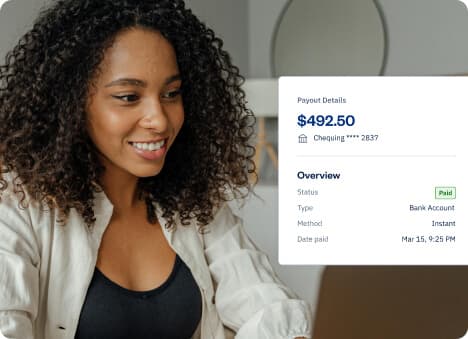
Track project costs and profitability
Log labor, materials, and expenses against each job so you can always know where you stand before the final invoice goes out.
Estimates and proposals that convert to invoices
Send a professional estimate, get client approval, and turn it into an invoice in a few clicks; no double entry, no separate tools.
Client portal, mileage tracking, and progress billing
Client portal for approvals and communication, mileage tracking for every site visit, and progress billing for jobs that span multiple phases.
Simple time tracking
Track billable hours from your phone and see them flow directly into your projects and invoices.
FreshBooks: easy-to-use invoicing and accounting for contractors
If you've outgrown basic invoicing and need a platform that can keep up with your business, it might be time to make the switch.
FreshBooks is built for the way contractors actually work, from first estimate to final invoice.
Frequently Asked Questions
Most platforms don’t offer a direct import of invoice history from Invoice Simple. Your best option is to export your data as a CSV file and manually import clients and invoice records into your new platform.
FreshBooks and Jobber offer the strongest combination of mobile invoicing and job costing. FreshBooks tracks labor, materials, and expenses against project budgets, while Jobber handles job costing on its higher-tier plans.
Wave offers a free plan that covers unlimited invoicing, basic expense tracking, and financial reporting, making it the strongest free option. Wave’s and Joist's free tiers don’t include features like job costing, progress billing, or a client portal. For contractors who need those features, a paid platform like FreshBooks is a better choice.
For solo contractors who mainly need to send invoices fast, Invoice2go and Joist are both strong mobile-first options. If you think you’ll eventually need job costing, accounting, or client communication, it’s worth starting with FreshBooks so you don’t have to switch tools down the road.
Yes, most of the tools accept online payments out of the box. FreshBooks, Joist, Wave, Jobber, and Invoice2go all support credit card payments with minimal setup. Payment processing fees vary by platform, so check the current rates before committing.
Most of the platforms support flat-rate and hourly billing. FreshBooks and Jobber handle flat-rate, hourly, and milestone billing. Joist and Invoice2go support flat-rate and basic hourly billing. Wave handles straightforward invoicing but has limited flexibility for complex billing structures.