

Top QuickBooks Online Alternatives for Contractors
QuickBooks Online is fine for general bookkeeping, but it was built for general small businesses, not contractors who need real job costing, flexible billing, and tools built for the field..
Only available to new subscribers via this page.
No credit card required.
Cancel anytime.

4.5 Excellent




How contractors use QuickBooks Online?
QuickBooks Online is the most recognized accounting software among small businesses, and many contractors start with it because their accountant knows it and recommends it. QBO connects to your bank and handles the fundamentals like invoicing, expense tracking, payables and receivables, and tax prep.
That works fine for general bookkeeping. But as your project volume grows, you start running into limitations. The Projects feature needs manual configuration to work properly. The mobile app stalls when you’re trying to send an invoice from a job site. And unlocking basic job costing means upgrading to the more expensive Plus plan.
QBO was built for general small businesses, not contractors running electrical, plumbing, HVAC, roofing, or general contracting businesses who need to track costs by job, bill by phase, or manage change orders from the field. That’s why contractors often end up back in a spreadsheet.
QuickBooks Online pros and cons for contractors
QBO comes with a range of benefits and drawbacks for contractors. These include:
Pros:
Most accountants already know it. No retraining for your bookkeeper.
Connects to 750+ apps and integrations.
Covers core bookkeeping tasks like invoicing, expense tracking, bank reconciliation, financial reports.
Large support community and extensive documentation.
Cons:
Job costing requires the Plus plan ($115/month) and is fully manual. No native cost codes.
No AIA billing, which most general contractors require from subcontractors on commercial projects. No automated retainage tracking either.
Mobile app was built for office use. Contractor reviewers on Capterra cite sync failures, crashes, and limited field functionality.
Why contractors are considering QuickBooks Online alternatives
For many contractors, the main reason to look for alternatives to QBO comes down to cost. Accessing QBO’s job costing—one of the most important functions you need as a contractor—means jumping from the Essentials Plan at $75/month to Plus at $115/month, a 53% increase.
But the frustration goes beyond pricing. Contractors reviewing QBO describe spending hours in spreadsheets reconciling what QBO can’t surface automatically, struggling to send a change order from the truck, and working around an interface that doesn’t understand project-based billing.
What they’re looking for is a software that works the way they do. One that tracks job costs without constant manual entry, handles progress billing and retainage, works reliably on a phone at the job site, and doesn’t charge for features designed for a different kind of business. They want to focus on the work, not the accounting.
QuickBooks Online vs alternatives: quick comparison
Use this table to compare the features that matter for contractors in the field. Each tool serves a different need. Match it to your trade, your business size, and how much accounting complexity you actually require.
| Features | FreshBooks | Quickbooks Online | Jobber | Knowify | Foundation | Sage 100 Contractor |
|---|---|---|---|---|---|---|
Job costing and progress billing |  | | | | | |
Mobile app for field teams | | | | | Limited | Limited |
Client portal and communication | | | | | Limited | Limited |
Time tracking | | | | | | |
Inventory and material tracking |  | | | Limited | | |
Invoice automation and integrated payments (card, ACH, etc.) | | | | | | |
Built-in accounting | | | | | | |
Expense tracking | | Basic | Limited | | | |
Projects & project profitability | | | Limited | | | |
Estimates and proposals | | | | | | |
Retainers | | | Limited | | | |
Features | FreshBooks | Quickbooks Online |
|---|---|---|
Job costing and progress billing | | |
Mobile app for field teams | | |
Client portal and communication | | |
Time tracking | | |
Inventory and material tracking | | |
Invoice automation and integrated payments (card, ACH, etc.) | | |
Built-in accounting | | |
Expense tracking | | Basic |
Projects & project profitability | | |
Estimates and proposals | | |
Retainers | | |
Ready to run your business from one place?
FreshBooks makes it easy.
Try It FreeWhat are the best QuickBooks Online alternatives for contractors?
FreshBooks
FreshBooks includes time tracking on every plan and gives you project profitability tracking for $70/month without the manual setup QBO requires at $115/month. The mobile app lets you snap a receipt at the supply house, log hours, send an invoice, and collect payment before you leave the site.
One contractor on Capterra summarizes it like this: "With FreshBooks, I can input data over my phone in front of a client, send the invoice, and have them pay it before I even leave."
FreshBooks is best for solo contractors and small crews who want straightforward accounting and fast invoicing without a steep learning curve.
Jobber
Jobber pairs with QuickBooks or Xero for accounting, but it does not replace your books.
If your biggest pain point is managing service calls across a crew, Jobber fills that gap. Plans start at $39/month with a 14-day free trial.
Knowify
Like Jobber, Knowify integrates with QuickBooks or Xero for accounting. Plans start from around $99/month with a free trial.
Foundation Software
Foundation is best for established contractors with $1+ million in revenue and 10+ employees who have a bookkeeper on staff. Pricing is quote-based.
Sage 100 Contractor
The trade-off is that Sage 100 is primarily desktop-based and requires an experienced bookkeeper to use it effectively. It’s best for established contractors with dedicated accounting staff who can invest in implementation and training. Pricing is quote-based.
What are the best QuickBooks Online alternatives for contractors?
FreshBooks includes time tracking on every plan and gives you project profitability tracking for $70/month without the manual setup QBO requires at $115/month. The mobile app lets you snap a receipt at the supply house, log hours, send an invoice, and collect payment before you leave the site.
One contractor on Capterra summarizes it like this: "With FreshBooks, I can input data over my phone in front of a client, send the invoice, and have them pay it before I even leave."
FreshBooks is best for solo contractors and small crews who want straightforward accounting and fast invoicing without a steep learning curve.
Why FreshBooks is the top QuickBooks Online alternative for contractors
FreshBooks is software designed to drive small business success. For contractors and trades professionals like you, that means giving you an easier way to get paid, manage project finances, and deliver work, all in one place. You don’t need an accounting degree to set it up. And you don’t need to be at a desk to use it.

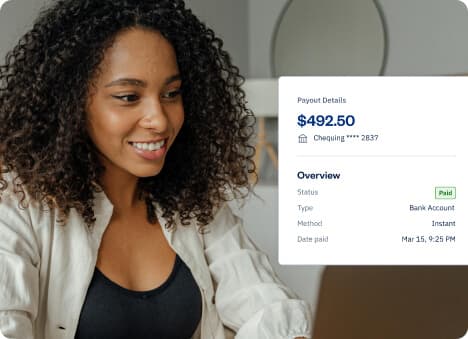
Get paid from the job site
Accept card, ACH, Apple Pay, and Google Pay the moment a job wraps up.
Time tracking that bills itself
Log hours by project and automatically add them to invoices.
See which jobs are profitable
Track team capacity and costs, add expense markups, and get profitability reports.
Support that picks up the phone
Award-winning support from real specialists, with an extensive online resource center.
Ready to switch? How FreshBooks simplifies migration from QuickBooks Online
Switching accounting software just sounds like a weekend project that you'll end up putting off. It’s not a fun task. Which is why we’ve made it a lot easier for you.
FreshBooks’ Easy Switch service makes this process almost enjoyable. Our specialists move your important data, like invoices, expenses, client records, and chart of accounts from QuickBooks to FreshBooks so your financial history comes with you.
Easy Switch is included at no extra cost on the Select plan and available as a supported add-on on other plans.
Ready to make the switch from QBO?
Frequently Asked Questions
For construction job costing with cost codes, AIA billing, and retainage, Knowify, Foundation Software, and Sage 100 Contractor are the strongest options.
If your needs are simpler, FreshBooks Premium gives you project-level profitability tracking without the complexity or price of construction-specific software.
Yes. FreshBooks and Jobber are the strongest for field use, covering receipt capture, invoicing, time tracking, and payment collection from your phone. Foundation and Sage 100 have mobile apps for time tracking, but full accounting remains desktop-based.
FreshBooks gives you an easier way to get paid, manage project finances, and deliver work, all in one place. Time tracking is included on every plan, the mobile app was built for the field, and when you have a question, you can reach a real person who knows the product.
Yes. FreshBooks' Easy Switch is a specialist-assisted migration that transfers your data—including invoices, expenses, client records, and chart of accounts—from QuickBooks to FreshBooks. It's included on the Select plan at no extra cost and available as a supported service on other plans.
Pricing varies based on company size and complexity.
Entry-level ($23 to $43/month): FreshBooks Lite and Plus work for solo contractors and small crews who need invoicing, expenses, and time tracking.
Mid-market ($70 to $199/month): FreshBooks Premium and Jobber Connect/Grow plans serve growing teams that need project profitability tracking, scheduling, and on-site payments.
Enterprise ($99 to $500+/month, often quote-based): Knowify, Foundation Software, and Sage 100 Contractor support construction-specific job costing, AIA billing, and certified payroll for larger operations.
FreshBooks and Jobber offer free trials and transparent monthly pricing. Knowify, Foundation, and Sage 100 require direct quotes or have layered pricing. As a general rule, the more construction-specific the tool, the higher the price and the steeper the learning curve.
Yes. FreshBooks lets you invite your accountant for free on Plus and above, giving them access to your accounting, reports, and bank reconciliation. Have a quick conversation with your accountant before switching, especially if you're considering Knowify, Foundation, or Sage 100.
